Network
OVERVIEW.
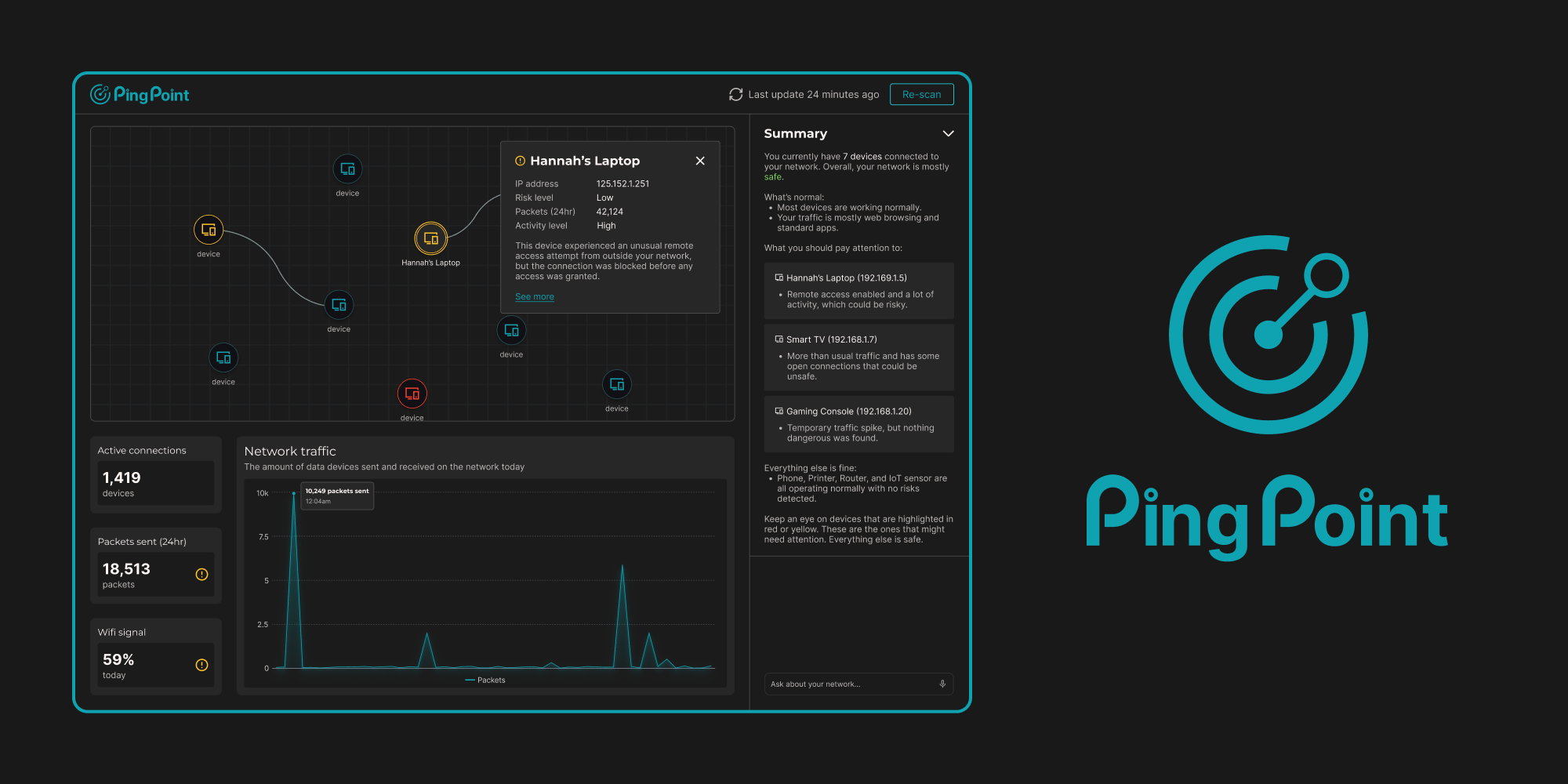
Pingpoint is a real-time network traffic visualizer and threat detection system that visualizes the signals within network data packets.
Network traffic is complex and opaque, and most tools are designed for security experts. For non-CS users, understanding what devices are connected, what data is moving, and whether anything is risky can be confusing and intimidating.
By scanning networks, mapping devices, and flagging risks in an intuitive dashboard, PingPoint gives users clear, actionable insights into what’s happening behind the scenes.
Over the course of 36 hours, I designed a visual model of the signals within network data packets.
The result is a tool that makes network traffic accessible and understandable for everyone, helping users feel confident and in control of their network.
PROBLEM.
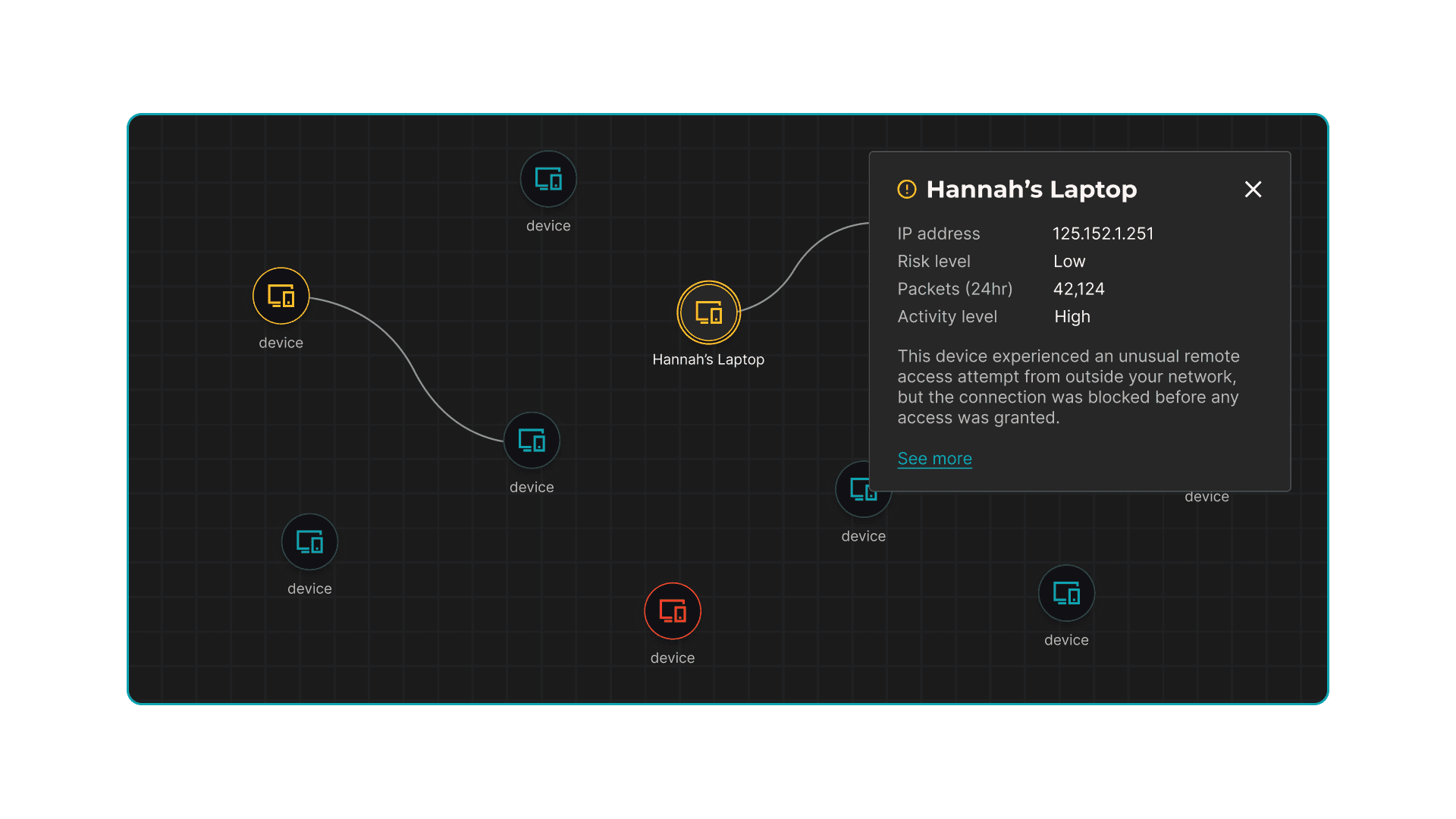
Understanding network activity is increasingly important, yet most network monitoring and security tools are built for experienced engineers. Non-technical users often face opaque interfaces, cryptic data, and complex workflows, making it difficult to understand which devices are connected, track packet activity, or identify potential security risks.
This lack of transparency not only creates confusion but also prevents everyday users from taking informed actions to protect their networks, leaving an accessibility gap in network literacy.
IDEATION.
My biggest challenge wasn’t visualizing data, it was deciding how much to show without overwhelming the user.
Network traffic is dense and unfamiliar. If I showed everything, it would feel intimidating. If I simplified too much, we’d lose meaning.
The real design question became: What does a non-technical user actually need to see?
So, I honed in on three core areas:
- Which devices are connected to the network
- How much data is moving through it
- Whether any data is risky
Ultimately, the challenge wasn’t just building a dashboard, it was deciding what to show and how to show it.
LOW-FIDELITY MOCKUPS.
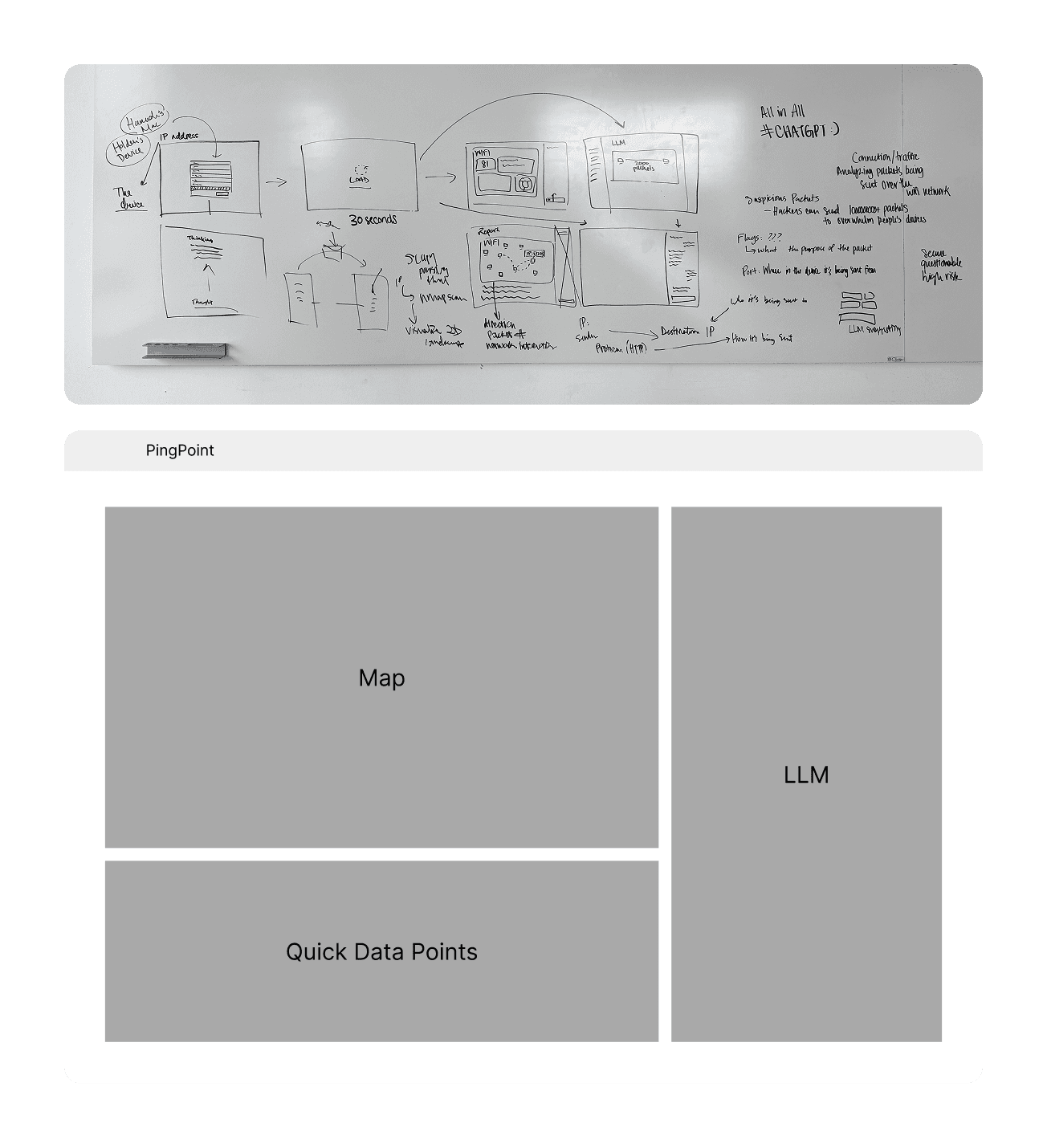
In the low-fidelity phase, I intentionally limited the interface to three core sections to reduce cognitive overload and create a clear hierarchy for non-technical users.
- Insight panel for LLM-generated explanations and next steps
- Central visual system for node graphs and live traffic activity
- Supporting data section for packet details and device information for users who want deeper context
By constraining the layout to these three zones, I could focus on making complex network data feel structured, navigable, and approachable.
BRANDING.
We needed a name and a look that could speak for the product before anyone even used it.
As I began ideating the final designs, we realized we needed a brand that communicated both what the product did and its user-friendly nature.
That’s how we landed on PingPoint.
"Ping" for network activity and connectivity, and "Point" to evoke precision and clarity. Together, it captures the idea of pinpointing important activity on a network, with a playful twist.
For the logo, I drew inspiration from both a bullseye and network nodes, combining them to show focus, connectivity, and detection. The design is simple, recognizable, and reflects the approachable, intuitive vibe of PingPoint.
DESIGN & DEVELOPMENT.
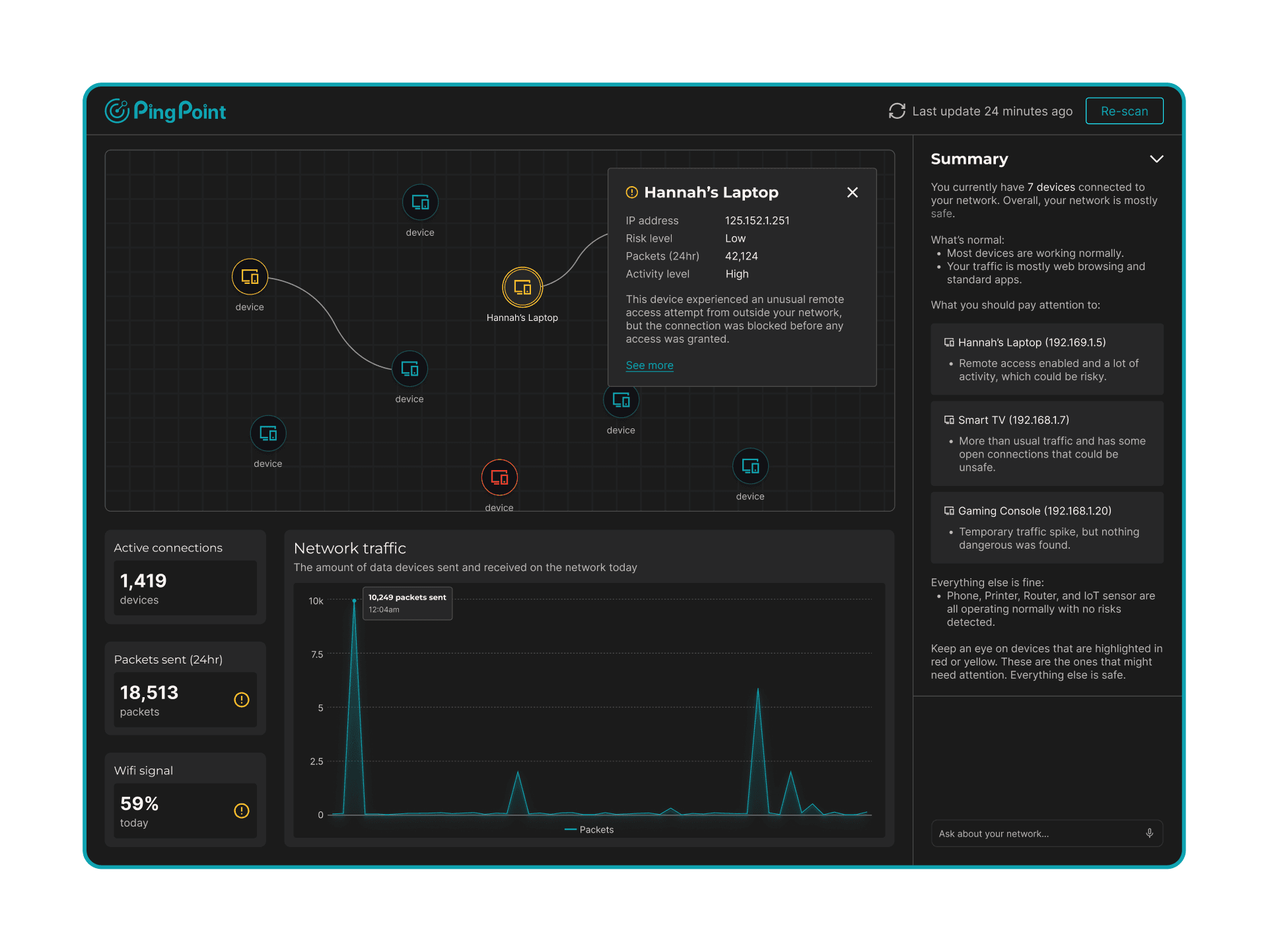
Over the next several hours, I iterated on the dashboard, going through 10+ design versions while continuously gathering feedback from my teammates.
I focused on breaking the interface into simple, reusable components, for the node graph, insight panel, and data section, so that each element was clear and could be implemented quickly.
By balancing usability with feasibility, I made sure that every design decision could actually be coded and deployed within the 24-hour hackathon timeframe.
This iterative, collaborative process helped us refine the dashboard rapidly while keeping it intuitive and achievable.
RESULTS.
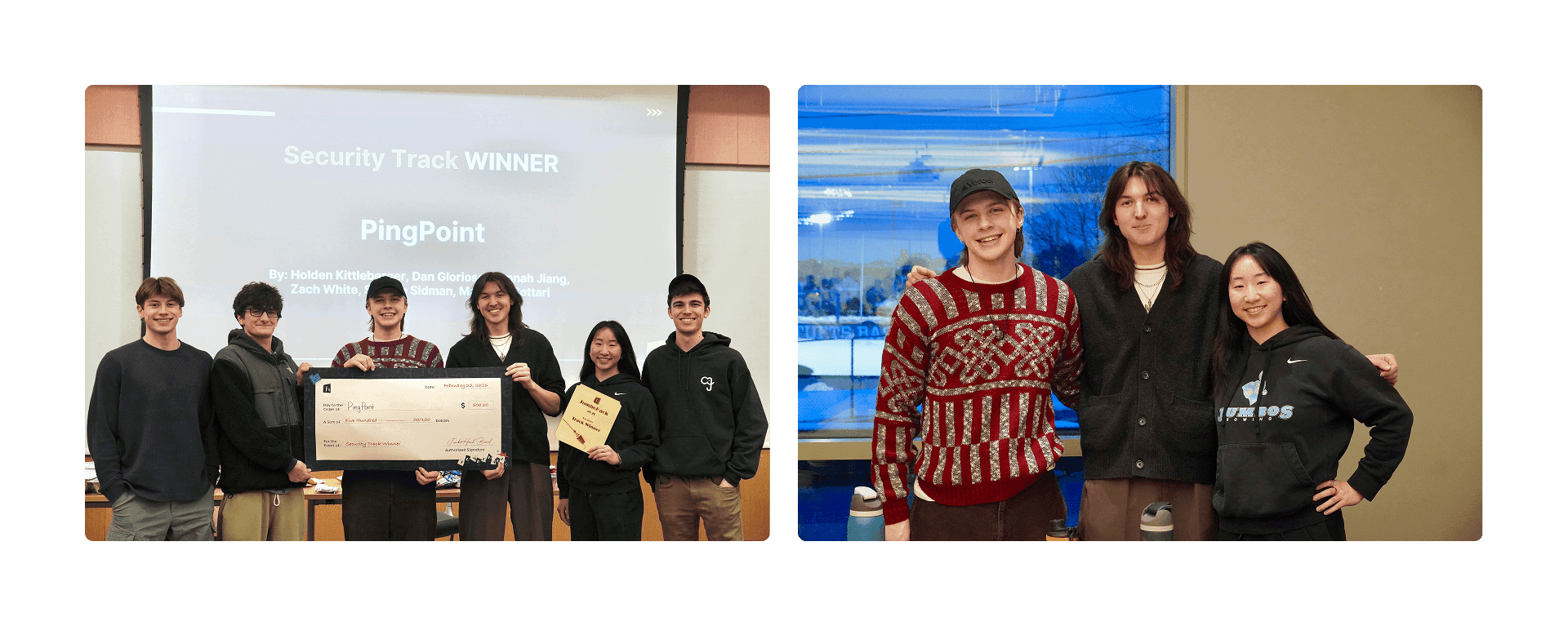
PingPoint won the Security Track at JumboHack 2026.
Our team of six, including five software engineers, came together to build a tool that made network traffic accessible and understandable for everyone.
Beyond the win, the project validated our design decisions and proved that simplifying complexity can create real impact in a high-pressure, technical environment.
WHAT I LEARNED.
Working on PingPoint taught me a lot about network security, far more than I expected coming in with minimal background. I learned how packets move, what makes devices vulnerable, and how to make that information understandable for non-technical users.
I also learned some less technical but equally important lessons, like a Raspberry Pi is definitely not edible.
Beyond the technical side, I learned the value of iterating quickly, gathering feedback, and balancing ambitious ideas with what is actually feasible.
This project showed me that design is not just about making something look good, it is about making complex systems approachable, understandable, and even fun to explore.