In The Crowd
OVERVIEW.
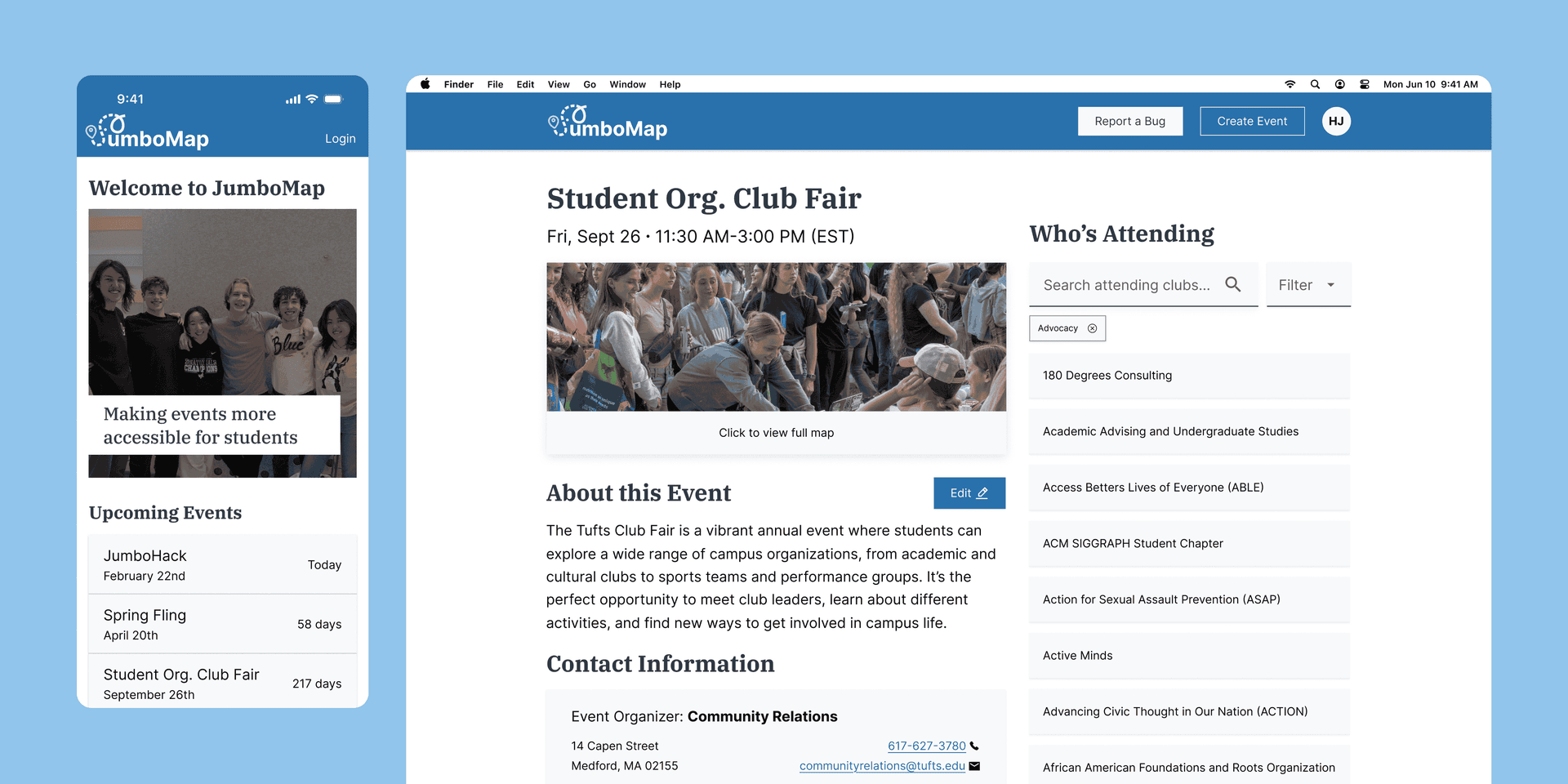
JumboMap is a centralized platform that helps people easily discover and navigate events in one place.
When I started college, I experienced campus events from a firsthand student perspective and quickly noticed how fragmented layouts and scattered information made it difficult to understand what was happening and where.
That perspective revealed a broader issue: event discovery and navigation lacked an easy, centralized solution, creating friction that prevented students from fully engaging with campus life.
Over the summer of 2025, JumboMap was designed, refined, and implemented within Tufts’ campus system to unify event discovery, location awareness, and on-campus exploration.
The platform is actively used across organizations and event types, and was built to scale; creating long-term value for students, event organizers, and administrators.
PROBLEM.
At campus events, unclear digital maps made it difficult for students to navigate and find tables they cared about. Instead of supporting exploration, these hand-made maps created confusion and friction.
Without real-time updates or clear visibility, students missed opportunities to engage with organizations, turning what should have been an engaging experience into a frustrating one.
IDEATION.
But, how do you build a functional MVP in just 48 hours?
We needed a solution that served two groups: students navigating events on the go, and admins managing event creation.
We focused on four core features:
- Real-time event navigation for students
- Efficient event management for admins
- Mobile and desktop compatibility
- Intuitive interface reflecting Tufts’ branding
This definition allowed us to develop a tool that met both groups’ essential needs.
LOW-FIDELITY MOCKUPS.
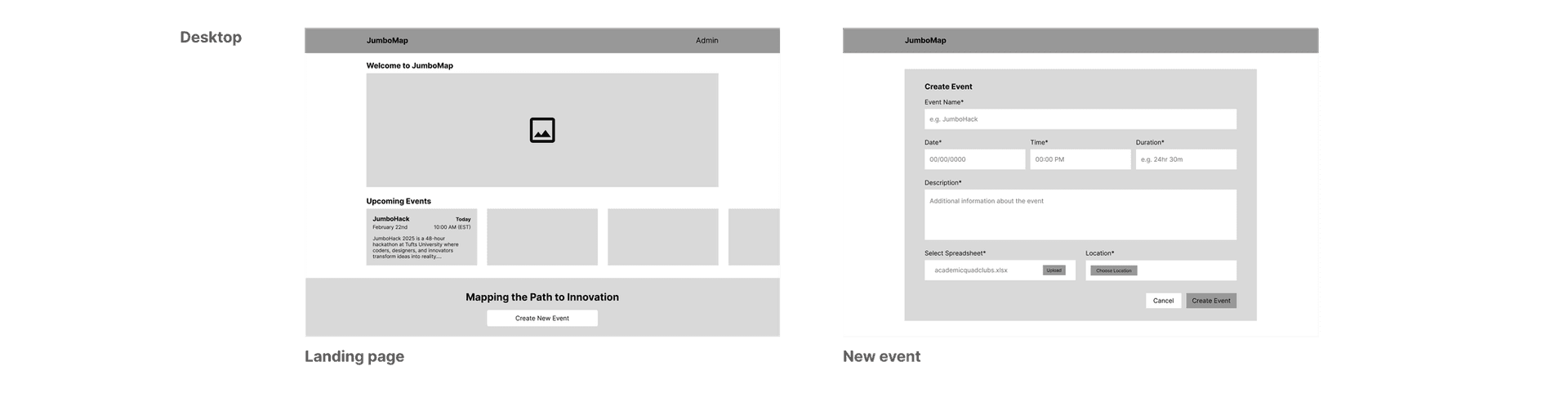
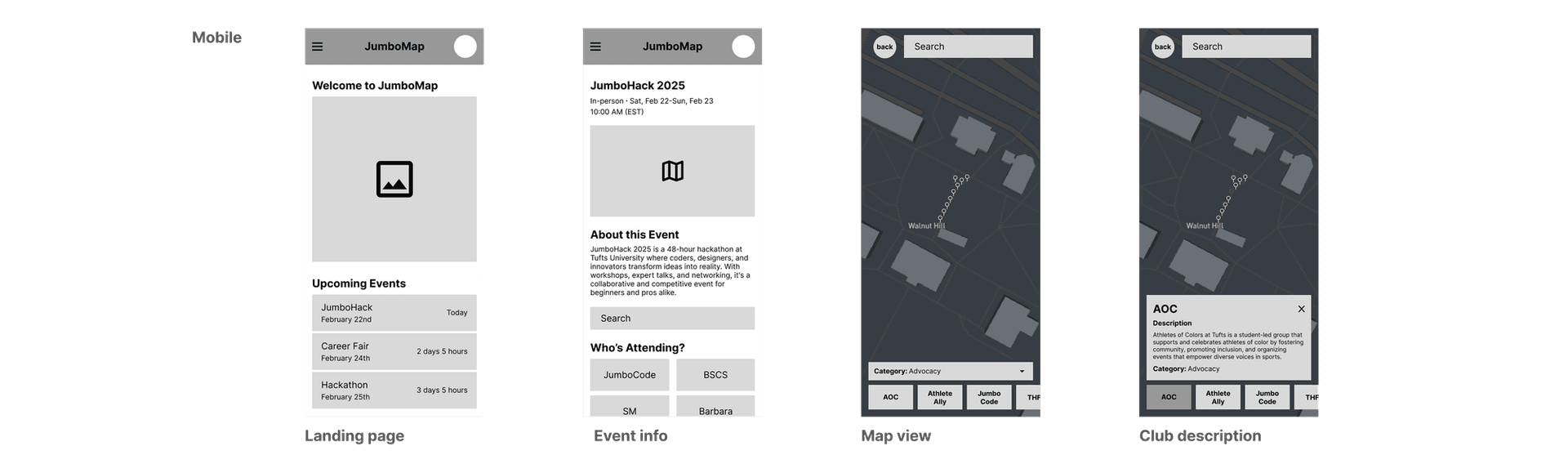
In the initial brainstorming phase, I prioritized simplicity to highlight the app’s core features. Given time constraints, I carefully considered the feasibility of maintaining design consistency as the app was built.
For example, I opted for square buttons instead of rounded ones to align with development constraints and eliminate ambiguity for developers.
I also leveraged white space strategically, helping users focus on key tasks like locating specific tables without being cognitively overwhelmed by other interface elements.
BRANDING.
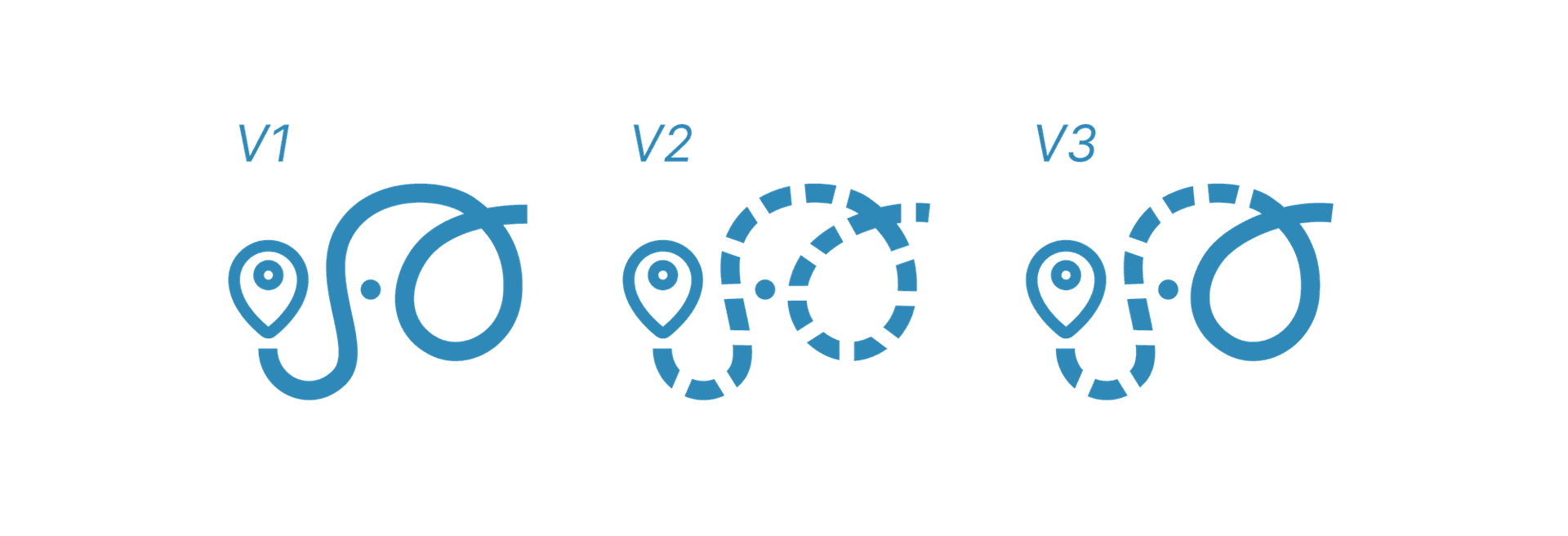
From the start, I wanted the logo to capture both the spirit of Tufts University and the practical purpose of the app.
Tufts’ mascot, Jumbo the elephant, was the perfect inspiration. I drew from Jumbo’s iconic character to create a logo that feels welcoming while remaining recognizable.
As I sketched ideas, I played with integrating a subtle crosswalk pattern into Jumbo’s trunk, using curved lines to suggest his trunk and ears while keeping the design clean and modern.
To reinforce the app’s navigational function, I added a map icon at the tip of the trunk, symbolizing the user’s destination.
The final logo blends Jumbo’s charm with visual cues of navigation, embodying both Tufts pride and the practical utility of the app.
DESIGN & DEVELOPMENT.
After ideation, I translated our concepts into high-fidelity mockups, designing for both mobile and desktop to ensure a seamless experience across devices..
I focused on reflecting Tufts’ branding throughout the interface, carefully applying the university’s colors and visual identity to make the platform feel familiar and cohesive..
These design decisions guided me as I moved from mockups to implementation, coding a fully functional prototype that was responsive across mobile and desktop.
By handling both the design and front-end development, I was able to ensure that the final product closely matched our vision and delivered a seamless experience for students and administrators alike.
RESEARCH.
After the hackathon, we met with 5+ Tufts administrators to explore how JumboMap could become a practical solution for campus event management.
Our conversations revealed three key needs for admins:
- Centralized event management
- Flexible table updates
- Self-service for tablers
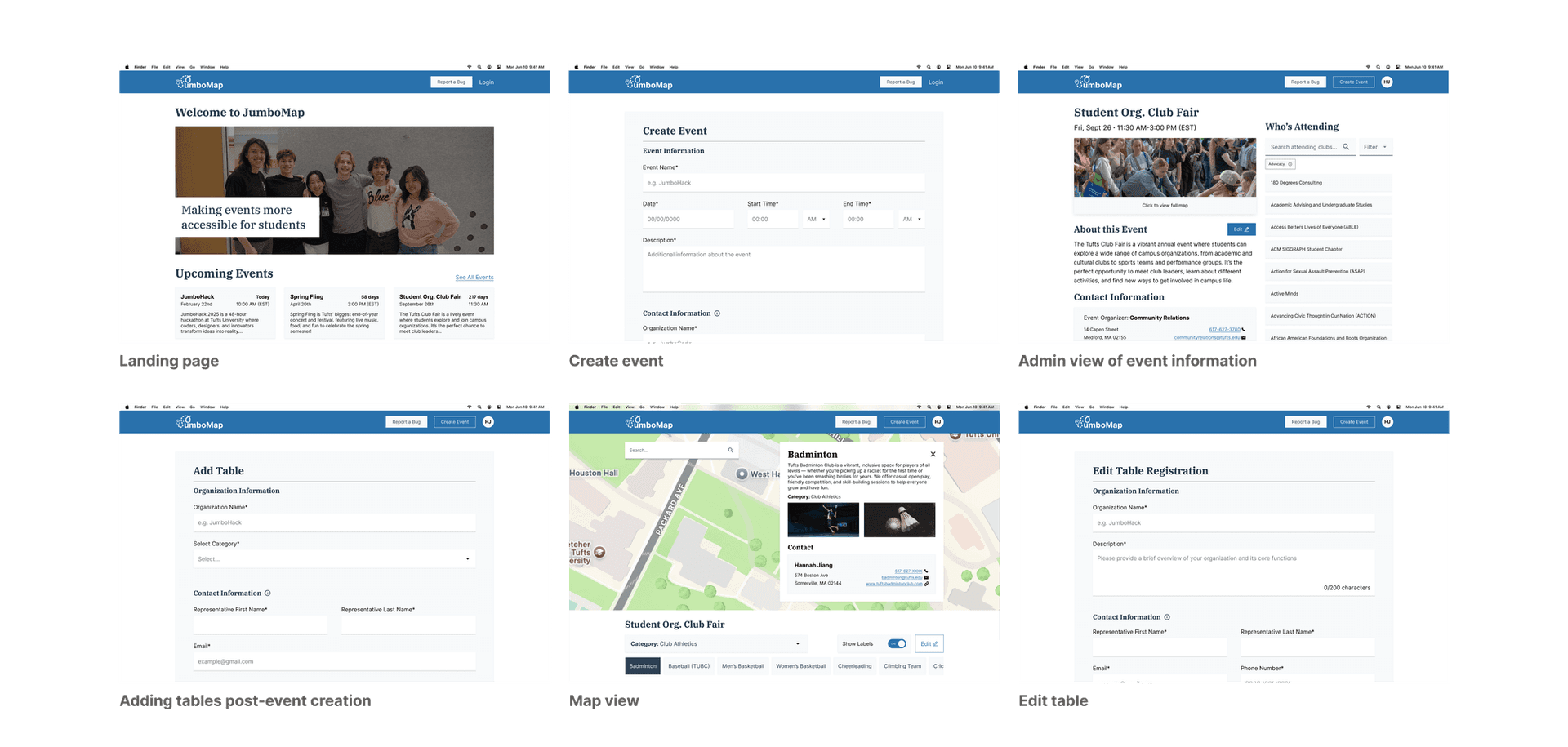
To address these insights, I designed several new forms for admins, each built with reusable functionalities to maintain consistency and avoid breaking the mental models administrators already had for form interactions.
By keeping layouts, input patterns, and behaviors familiar across forms, admins could easily navigate and manage events without needing to learn new workflows for each feature.
This approach ensured that adding new capabilities enhanced efficiency while feeling intuitive and aligned with their expectations.
RESULTS.
We successfully implemented JumboMap into Tufts’ system for Community Day. The platform is now actively being expanded for graduation, where its infrastructure will support a much larger, more complex event.
WHAT I LEARNED.
Working on JumboMap taught me the value of owning a project end-to-end, from ideation and visual design to frontend development and prototyping. In just 48 hours, I learned how to balance speed with attention to detail, ensuring the platform was both functional and user-friendly for students and administrators.
One of the most rewarding parts was implementing JumboMap and collaborating directly with Tufts administrators to get it live for Community Day.
Seeing students, admins, and the community use the platform in the real world and iterating based on their feedback was an incredible experience that reinforced the importance of user-centered design.
This project strengthened my skills in rapid prototyping, responsive design, and translating user needs into practical, scalable solutions, which are now being applied as the platform expands to support larger events.